How to Create a DDLC Dialogue Scene
This guide documents the scene editor embedded on the home page. The screenshots below are captures of the running editor, not sample mockups; controls and available export formats can change with the browser and loaded content packs.
Build one scene
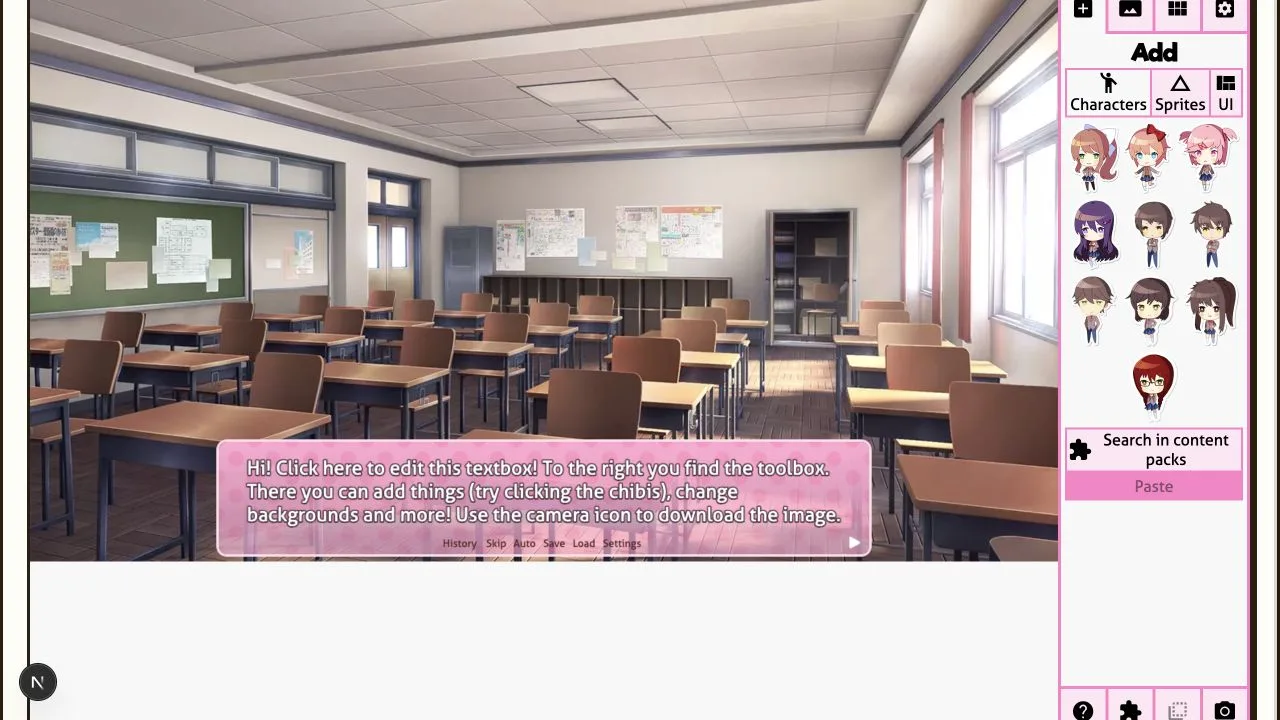
- Open Dialog Generator and wait for the editor canvas and its starter textbox to load.
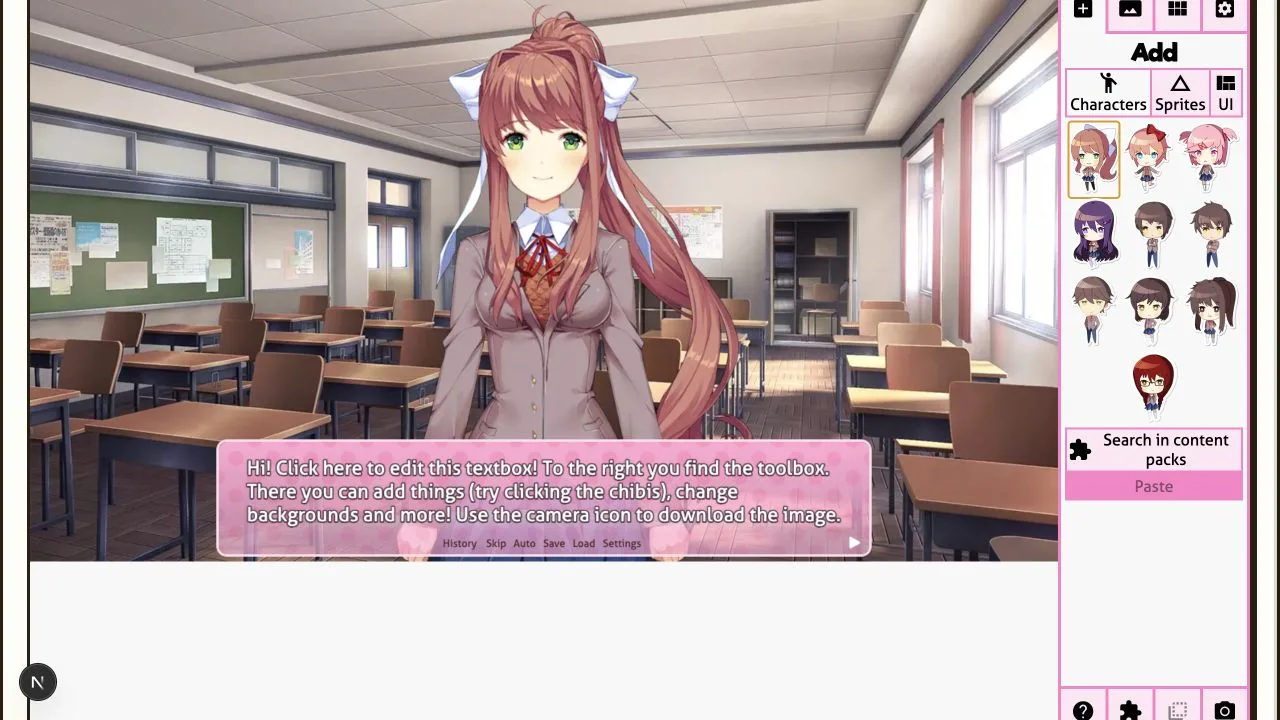
- In the right toolbar, select Add, then Characters. Choose a listed character. Use the adjacent sprite controls to choose an available appearance; the choices depend on the content pack.
- Click the textbox in the scene to edit the speaker and dialogue. The editor exposes text style, speaker selection, automatic quote repair, line wrapping, and overflow controls. The Custom textbox option also exposes its own width and color settings.
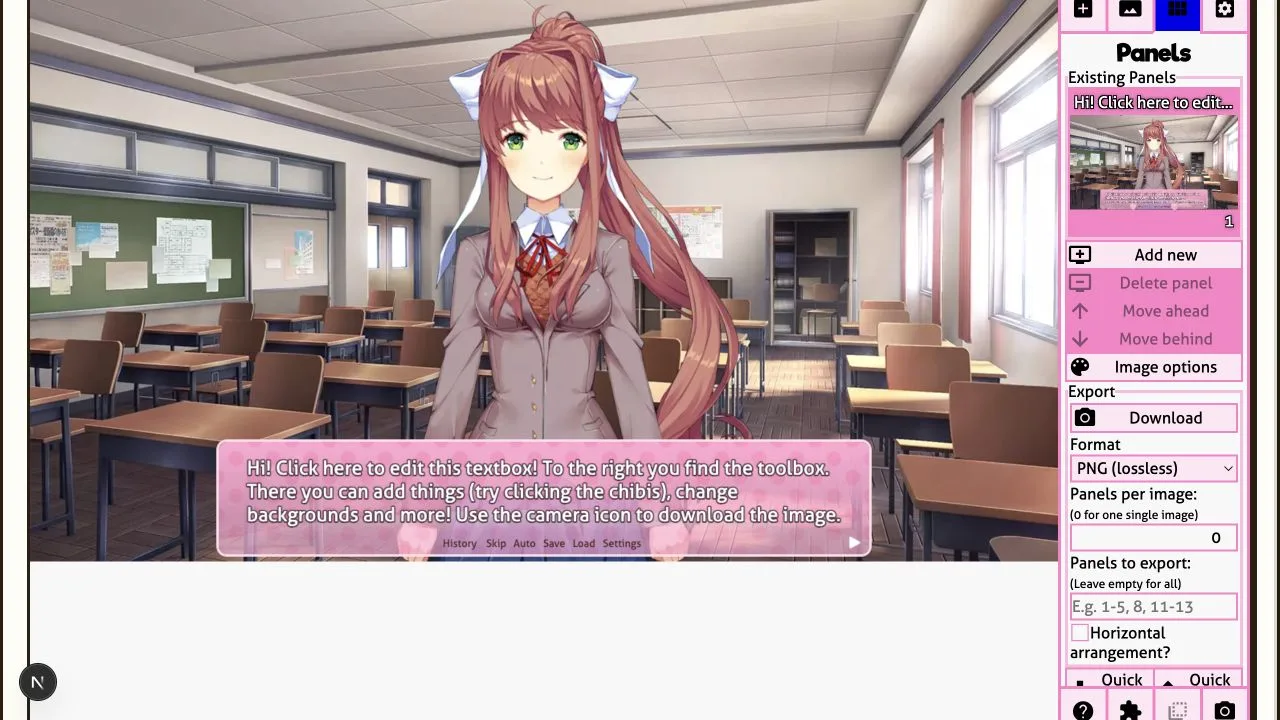
- Open Backgrounds to replace the setting. Use Panels to add, remove, reorder, or select panels before exporting a sequence.
- Return to Panels, choose the export format, and use Panels to export if only part of the sequence is needed. Leave that field empty to export all panels.
What the controls look like
Export size, options, and limits
The editor does not expose a fixed 1280 × 720 export setting. Its canvas uses the available editor viewport and adjusts to the viewport orientation, so the exact pixel dimensions can vary with the window or device. The export panel defaults to PNG (lossless); JPEG is available, and WebP or HEIF appear only when the browser reports support. Lossy formats expose a quality value. The panel also has a panels-per-image field and a panel-range field (for example, 1-5, 8); the actual saved image dimensions should be checked after export if a destination requires an exact pixel size.
Example: add Monika, leave the clubroom background, and replace the starter dialogue with “We should save this scene.” The preview updates in place. Exporting the current panel as PNG produces a flattened scene image; it does not preserve separate character, textbox, and background layers.
On a phone, the editor reorganizes its controls around the available viewport; the page also embeds it in a 760-pixel-high frame, so reaching the full editor may require scrolling the page. The screenshots show the desktop layout. No browser-by-browser compatibility matrix has been run. If a non-PNG option is missing, choose PNG; if a browser blocks or fails an export, retry PNG and check the browser’s download controls.
Saves and local data
The editor offers a Save Manager that stores projects in browser storage and can download a save as a ZIP. Browser storage is not a guaranteed backup: the editor itself warns when persistence has not been granted. Exported images are downloaded to your device. This describes the editor’s save/export path only; it is not a claim that the surrounding website has no analytics, advertising, or other third-party scripts. Review the site’s Privacy Policy for those services.
Use a narrower tool when that is the actual task
For a standalone transparent dialogue layer, use the DDLC Font Generator. For a blank textbox asset, use the Text Box PNG tool. The full editor is the option when characters, backgrounds, panels, and dialogue need to be composed together.